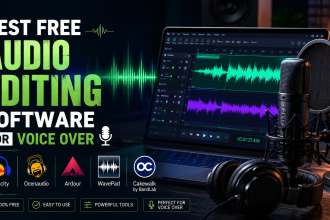
Audacity is the most popular free audio editor for voice-over, and with the right settings it produces clean, professional results. This guide walks you through setting it up for Urdu voice work, from first launch to your first polished recording.
- Step 1: Install and Open Audacity
- Step 2: Select Your Microphone
- Step 3: Set Your Input Level
- Step 4: Record a Clean Take
- Step 5: Clean Up the Audio
- Step 6: Normalize and Export
- Frequently Asked Questions
- Is Audacity good for Urdu voice over?
- How do I remove background noise in Audacity?
- What settings should I use for voice recording?
- Related Reading
Step 1: Install and Open Audacity
Download Audacity from its official website and install it. Open the program and connect your microphone before recording.
Step 2: Select Your Microphone
In the device toolbar, choose your microphone as the recording input and set the channel to mono for voice (one channel is ideal for speech).
Step 3: Set Your Input Level
Do a test recording while speaking at your normal volume. Aim for peaks that stay comfortably below the maximum so your loudest words do not clip or distort.
Step 4: Record a Clean Take
Record in a quiet, treated space, keep a steady distance from the mic, and use a pop filter. Leave a couple of seconds of silence at the start so you can sample the room noise.
Step 5: Clean Up the Audio
- Noise Reduction: select the silent room-noise section, get a noise profile, then apply it to the whole track.
- Trim: cut mistakes and long pauses.
- EQ: gently reduce low rumble and add a little high-end for clarity.
- Compression: even out volume so quiet and loud words are balanced.
Step 6: Normalize and Export
Normalize to a consistent loudness, then export as a high-quality file. Your recording is now ready to deliver or upload.
Frequently Asked Questions
Is Audacity good for Urdu voice over?
Yes. Audacity is free, works on all major systems, and handles recording, noise reduction, EQ, and export — everything Urdu voice work needs.
How do I remove background noise in Audacity?
Use the Noise Reduction effect: sample a silent section to get a noise profile, then apply it to the whole recording.
What settings should I use for voice recording?
Record in mono, set input levels so peaks stay below clipping, and record in a quiet, treated space with a pop filter.
Related Reading
- Best Free Audio Editing Software for Voice Over
- Best Microphones for Voice-Over Beginners (2026)
- How to Soundproof a Recording Room Cheaply
- How to Build a Voice-Over Demo Reel
Written by the UrduDub editorial team. We cover dubbing, voice-over, and where to watch localized content through official, legal sources. Spotted an error? Contact us — see our Editorial Policy.